How-to
Provide & edit lease details
Keep approvals and move-ins on schedule by using the provide lease details feature in your Landlord Portal.

Step 1
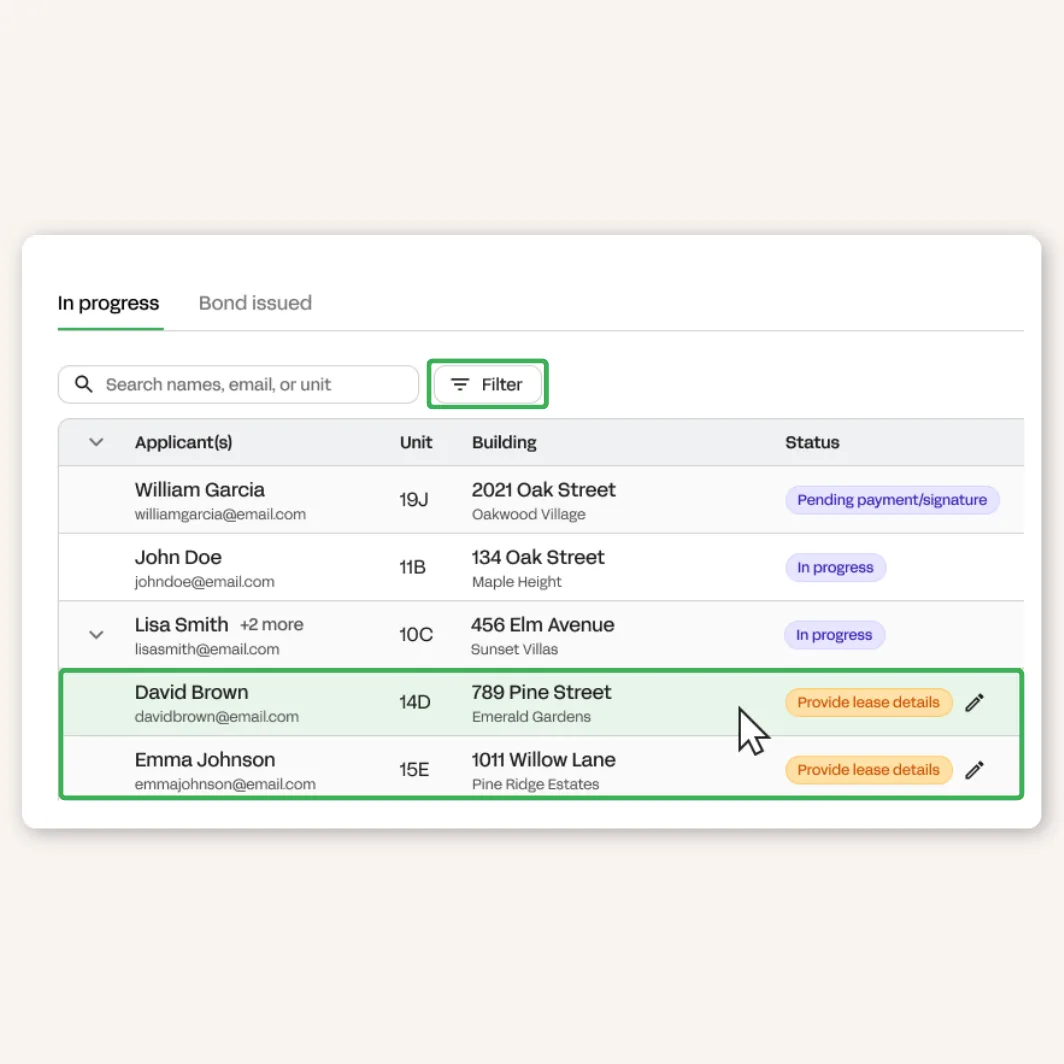
Sign into your portal and navigate to the ‘Track Applications’ tile.

Step 2
Click on the application with the status 'Provide lease details.' You can also apply the filters (next to the search bar) to show all applications needing lease details.
Step 3
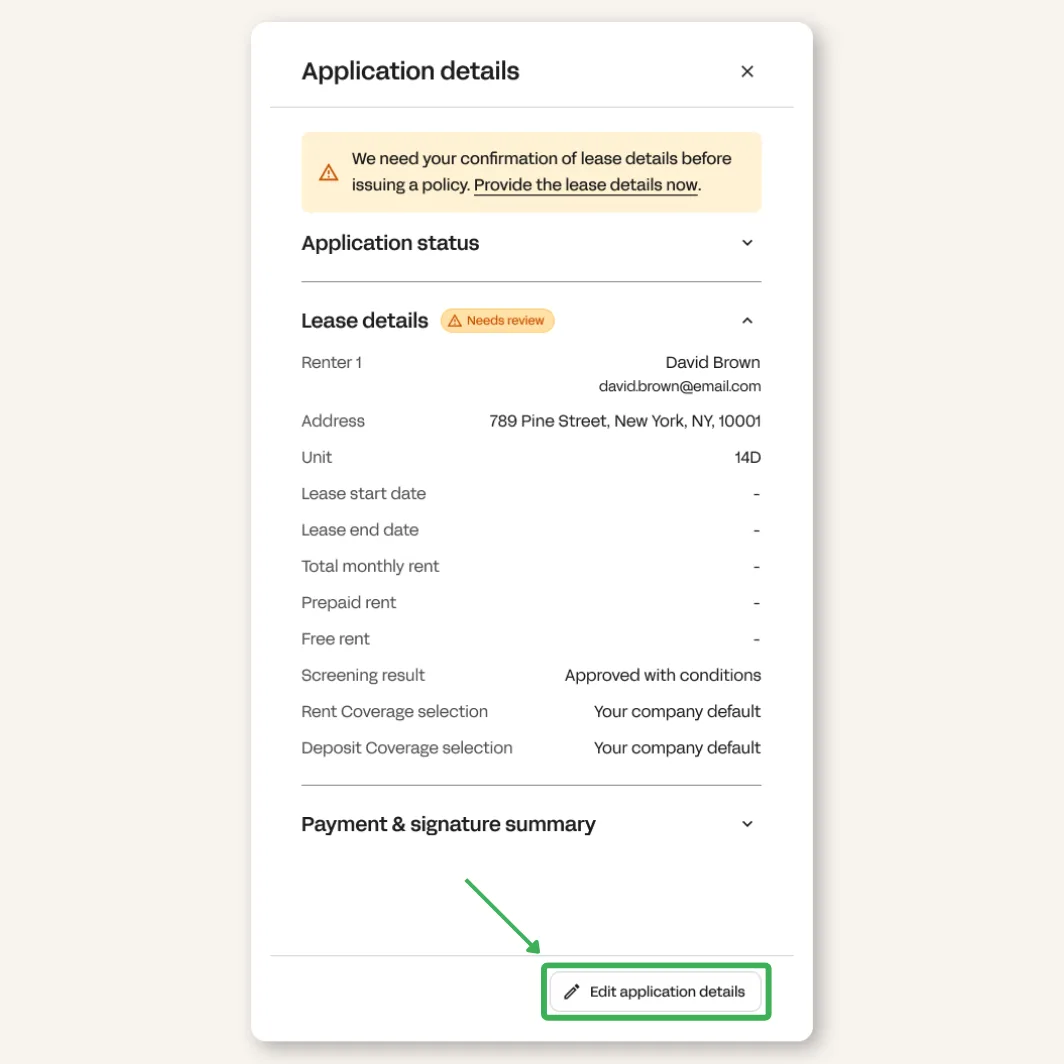
Click 'Edit application details' to input the information. You can use the same tool to edit details later on if additional changes are needed.
Step 4
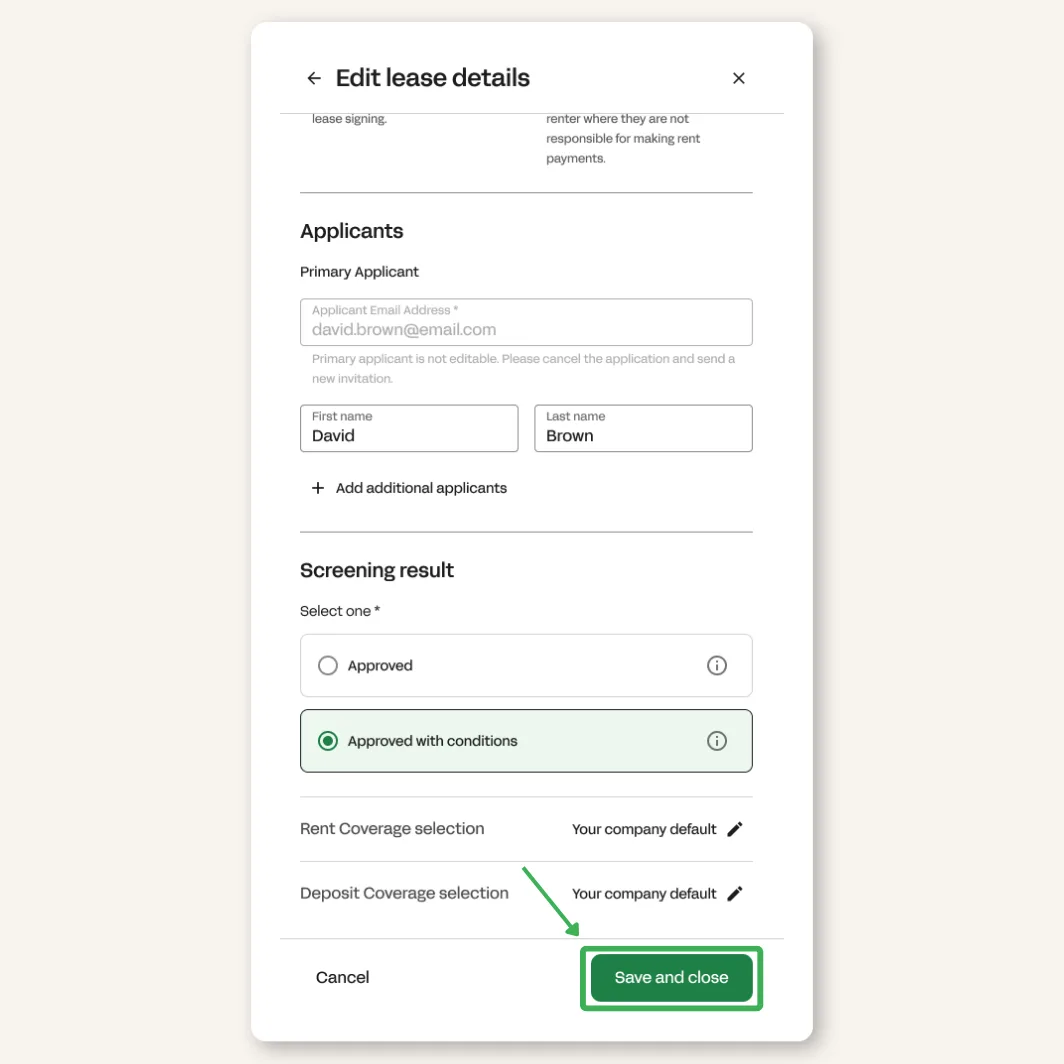
Click the ‘Save and close’ button. Once the applicant signs and pays, we will forward you the bond and upload it to the portal.
Have a question?
We're happy to answer any questions you might have. Email us at leasing@theguarantors.com.